

Back ] Up ] Next ]

Photoshop for Photographers - Instructional Workshops

DBP offers a regular schedule of Photoshop for Photographers workshop sessions, based in South Bend, Indiana. These sessions include intensive instruction in Photoshop techniques as applicable to photographers; we won't waste your time and effort on information used by graphic designers, but of little value to photographers! We cover topics including scanning, working up your images in Photoshop, and printing: in other words, the complete Photoshop workflow from scanning to final print. If you are a digital photographer, don't worry...we have everything to help you too.

It's important to note that you will receive personalized individual attention. A limit of 6 participants per class ensures that everyone receives plenty of time for questions to be discussed and for techniques to be demonstrated on a personal level. This is *not* an impersonal event with 50, 60 or more participants in a large room, each of whom receives minimal (if any) personal assistance.

A 5-day "full" session is offered, which includes the full Photoshop workflow. We use Photoshop CS2 for class sessions, but the vast majority of information is also suited to earlier versions of Photoshop; Photoshop Elements users can also expect to make use of nearly all the information covered here. In addition to learning all the important techniques, expect to pick up many valuable and time-saving tips to streamline your work in Photoshop. You can expect to leave the course feeling comfortable using features of Photoshop that are important to every photographer, including advanced color balancing and correction, selections, layers and masks, and much more. The 5-day schedule roughly includes 2 days devoted to demonstration and discussion of tools and techniques, 2 days for workup of participants' images, and 1 day for printing.

A 3-day "Photoshop Lite" session is now available. This includes the same 2-day period devoted to demonstration and discussion of tools and techniques as the 5-day "full" session contains; the difference is that workup of participants' images is reduced to 1 day, and printing is not included. The "lite" session is particularly suited to participants who aren't able to devote an entire work week to the class, yet want to take advantage of all demonstration and discussion techniques within a convenient weekend (Friday-Sunday) time period.

An extensive study guide, written exclusively for this course, is provided to each participant. It includes over 50 pages of detailed information, techniques, useful tips, and shortcuts. In short, it comprises a concise workflow, study guide, notebook and text rolled into one, with no padding or useless info...strictly "the meat"! To view a sample from this text, click here to see the writeup on color balancing. 

A smooth flow is maintained during sessions in the usual relaxed and friendly DBP atmosphere. Each workstation is connected to the "master" computer by advanced broadcasting software; concepts and techniques demonstrated by Danny are displayed on each workstation in real time. A simple Alt-Tab flips each participant's monitor image to a working copy of Photoshop on which these techniques can be practiced individually. You'll learn by instantly practicing the techniques as they are discussed...the best way to retain information! Each technique is clearly explained, allowing time for questions whenever needed, using appropriate images to demonstrate each technique to its best advantage.

Many of these demonstration images are copies of actual working files, created by Danny for fine print production, reduced in size but containing their layers, masks, and alterations from the original scan. You can view each adjustment layer as it was originally created, explained with before/after views of the way that it affects the image and the reason why that adjustment was made. For sample demonstration images, click here.

Participants are encouraged to bring a CD with images of their choice for practice and printing. Film can be scanned on-site; additional practice images will be available during the session if you're unable to bring your own. A multi-format digital card reader is also available to upload images. You are invited to bring your own prints to the session as well; your questions or problems in perfecting these prints can be discussed during the workshop session.

* * * * *

PRIVATE LESSONS AVAILABLE for PHOTOSHOP and PHOTOGRAPHIC TECHNIQUE

If you're interested in private sessions specifically tailored for your needs, DBP can help. If you need expert assistance in various Photoshop techniques, help in optimizing particular images, or other photographic techniques such as metering and exposure, composition, large format use, panoramic camera use...whatever your needs, we can arrange a time for personal instruction. Send an email with details of your specific needs. Private instruction runs $400 per 8-hour day, plus expenses, and can be charged by 1/2 day (4-hour) sessions. Please note that all private instruction will be held in South Bend, Indiana and surrounding area.

* * * * *

Cost of the full 5-day session is $695. The scheduled 5-day session dates for early 2009 include: (all sessions run Monday through Friday, 9 am to 5 pm unless noted):

8-12 June 2009

Cost of the "lite" 3-day session is $495. The scheduled 3-day session dates for early 2009 include: (all sessions run Friday through Sunday, 9 am to 5 pm unless noted):

27-29 March 2009

26-28 June 2009

The late 2009 schedule will be posted in spring 2009.

Sessions are held at 1626 Lincolnway East, South Bend, Indiana 46613; directions, motel suggestions, and further information will be sent after registration. 

To register for a DBP event, go to the Terms and Policies and Registration Form pages. YOU MUST SUBMIT A COMPLETED, SIGNED WAIVER along with payment and registration form to be considered enrolled in any event!

In the interest of keeping workshop prices as low as possible, please be aware that meals, accomodation, and transportation are not included in events. Each participant will be responsible for these items and their respective costs, although DBP will be glad to provide suggestions for economical lodging.

* * * * *

Intensive 2-day mini courses will soon be offered on weekends; these will cover material included in the 5-day "full" sessions, broken into smaller portions so that those who can't come for the entire week can still participate on a basis convenient to their schedule. Some of these events may cover material in greater detail than time allows during the 5-day session, depending on participant wishes and available time within each workshop. As is the case in DBP field workshops, sessions will be tailored to individual needs of participants, and no one will feel a need to rush through material without a full understanding of each concept and technique.

Some of the 2-day mini courses that are planned include:

    Scanning and Printing

    Color Correction (including selections and masking)

    Creating selections

    Sharpening the right way (including selections and masking)

    Creating the best Black and White prints

    Beyond basics: tweaking your final images even further to produce the very best possible results

* * * * *

It would be appropriate to include a note regarding subjects that are not covered in DBP Photoshop workshops. In the interest of allowing maximum time to fully cover the most important key features such as selections, masking, color correction, and so forth, certain topics are necessarily beyond the scope of coverage. These topics include detailed coverage of computer hardware and internal components, techniques unrelated to naturalistic photography (such as removal or addition of major components to an image, substitution of moons, etc.), novelty filters, and other such elements that are best considered as graphic design rather than naturalistic photography.

* * * * *

Individual assistance with a class limit of 6 participants, personal workstations loaded with Photoshop CS2, an on-site professional scanner and large format Epson 4800 Ultrachrome printer are all part of the learning sessions. Above all, you can expect to have a great time, enjoying the company of like-minded photographers while learning to create beautiful prints! Please send email if you'd like to be added to the list for future news and updates.

* * * * *

Studio Flower Techniques - Creating Floral Glamour Portraits

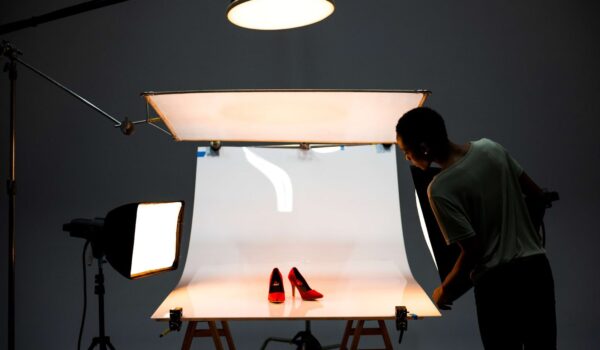
There have been inquiries to learn Danny's techniques for studio flower portraiture. Since the Photoshop teaching facility will have ample space available, an on-demand setup for studio flower work is possible. Depending on demand, DBP expects to offer a 1- or 2-day session once or twice each year. Please email if you'd like to indicate an interest in attending one of these sessions.